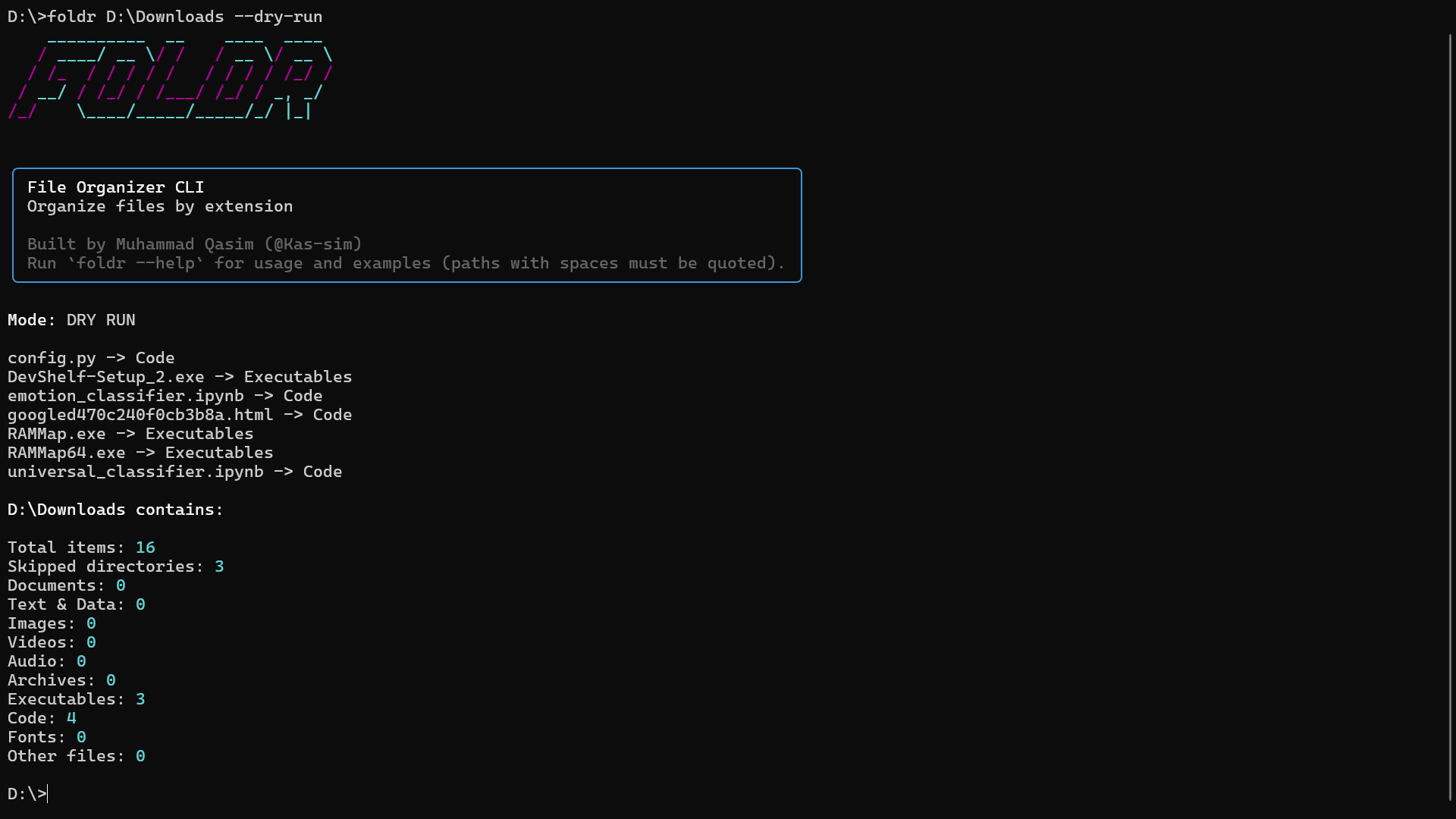
What foldr does
foldr is a published, production-ready command-line tool that keeps directories organized automatically. Drop any file into a watched folder — it moves to the right place within one second. Need to undo it? One command restores everything, individually, in any order.
pip install foldr
It runs on Linux, macOS, and Windows with a single install and no extras.
The problem it solves
Download folders, project scratch directories, and dataset staging areas accumulate files faster than any human manages them manually. Most “file organization” scripts fail because they:
- move files silently, with no way to inspect or reverse the action
- run once and stop — new files pile up immediately after
- crash or produce wrong results on edge cases (name conflicts, unusual extensions, nested folders)
- require manual configuration just to get started
foldr is built around a different set of constraints. Every operation is visible before it executes. Every move is recorded and reversible. The watcher runs continuously in the background using kernel-native APIs — not polling.
Core features
Organize once
foldr ~/Downloads --preview     # see every planned move before it happens
foldr ~/Downloads               # preview → confirm → execute
foldr ~/Downloads --recursive   # include subdirectories
The preview table shows every file, its destination, and its category.
Nothing moves until you type y. Filename conflicts are resolved automatically
by appending _(1), _(2) — files are never overwritten or deleted.
Watch mode — set it and forget it
foldr watch ~/Downloads
This spawns a background daemon that:
- Immediately organizes all existing files in the folder (initial scan)
- Keeps watching using OS-native filesystem events — inotify on Linux, kqueue on macOS, ReadDirectoryChangesW on Windows
- Organizes every new arrival — whether it’s a download completing, a file copied in, or a file moved back from a category folder
- Uses 0% CPU when idle — event-driven, not polling
- Survives terminal close — the daemon runs independently of the shell that started it
foldr watches                   # see all active watchers with PID, status, count
foldr watch ~/Downloads --recursive    # watch subdirectories too
foldr unwatch ~/Downloads       # stop the watcher cleanly
Full undo system
Every organize operation is saved as an immutable JSON record in ~/.foldr/history/.
foldr undo                      # undo the most recent operation
foldr undo --id a1b2c3          # undo any specific operation by ID
foldr undo --preview            # see what would be restored before restoring it
foldr history                   # list all past operations with timestamps and IDs
Operations are undone independently — you can undo an operation from last week without undoing anything that happened since. If a file was moved again after the operation you’re undoing, foldr skips it and tells you clearly.
240+ extensions, 25 categories
foldr classifies files by extension into 25 built-in categories:
| Category | Examples |
|---|---|
| Documents | .pdf .docx .odt .md .tex .pages |
| Images | .jpg .png .webp .heic .raw .svg |
| Videos | .mp4 .mkv .mov .webm .avi |
| Audio | .mp3 .wav .flac .aac .ogg |
| Code | .py .js .ts .java .cpp .rs .go |
| Archives | .zip .rar .7z .tar.gz .bz2 |
| Executables | .exe .msi .deb .rpm .dmg .apk |
| Machine Learning | .pkl .h5 .onnx .pt .pth .npy |
| Databases | .db .sqlite .sqlite3 |
| Notebooks | .ipynb |
| Fonts | .ttf .otf .woff .woff2 |
| Ebooks | .epub .mobi .azw |
Files with unrecognised extensions are never moved — they stay exactly where they are.
Custom categories
foldr auto-creates ~/.foldr/config.toml on first run. Edit it to add extensions, rename folders, or create entirely new categories:
[foldr]
merge = true   # extend built-ins (use false to replace them entirely)

[Images]
extensions = [".heic", ".avif", ".raw"]   # added to built-in Images

[RAW Photos]
folder     = "RAW_Photos"
extensions = [".cr2", ".nef", ".arw", ".dng", ".orf"]

[Design]
folder     = "Design"
extensions = [".fig", ".sketch", ".psd", ".ai", ".xd"]
foldr config --edit # open config.toml in your editor
Ignore rules
foldr ~/Downloads --ignore "*.log" "temp/" "DRAFT_*"   # skip patterns this run
foldr ~/Downloads --no-ignore                           # disable all ignore rules
Global ignore rules live in ~/.foldr/.foldrignore:
*.tmp
*.bak
desktop.ini
~$*
Duplicate removal
foldr ~/Downloads --dedup keep-newest --preview    # always preview first
foldr ~/Downloads --dedup keep-newest              # remove older duplicates
foldr ~/Downloads --dedup keep-largest             # remove smaller copies
foldr ~/Downloads --dedup keep-oldest              # remove newer copies
Files are compared by SHA-256 hash. Deduplication is permanent and irreversible —
always use --preview before executing.
Engineering notes
Why a daemon, not a cron job? Cron jobs fire on a schedule — files pile up between runs. foldr’s daemon reacts in under one second using kernel-native event APIs. On a quiet system it consumes 0% CPU.
Why the initial scan?
A watcher that only reacts to new events misses files that were already there when it started.
foldr’s daemon organizes the directory immediately on start, then transitions to event mode.
After a machine restart, re-running foldr watch catches anything that arrived while the daemon was down.
Why JSON history instead of an undo stack? An undo stack forces sequential rollback — you can’t undo Monday without first undoing Tuesday. foldr records each operation as a standalone JSON document. Any operation can be reversed in any order, independently, with no side effects on others.
Zero dependency output.
foldr’s terminal output uses no external rendering library. ANSI colours are enabled via ctypes
on Windows 10+ with colorama as a safety net for older terminals. The full feature set works
without rich, pyfiglet, or any TUI framework.
Distribution
pip install foldr
- Published on PyPI · installed via pip
- Requires Python 3.10+
- Single entry point:
foldr - All dependencies installed automatically — no extras, no choices
PyPI: pypi.org/project/foldr Source: github.com/qasimio/Foldr
Positioning within my work
foldr demonstrates the same engineering values that run through every project I build:
- Correctness before convenience — dry-run mode, explicit confirmation, and undo exist because file operations are permanent. The tool earns trust before it acts.
- Operational transparency — every move is logged. Watch mode shows a timestamped line for every file it organizes. Nothing happens in the dark.
- Edge case coverage — name conflicts, in-progress downloads, files moved back to root, symlinks, nested directories, BOM-prefixed ignore files — handled explicitly, not assumed away.
- Minimal footprint — no background services that auto-start, no registry pollution, no configuration required to get started. It works from
pip install foldr.